Parse JSON schema generator
The Parse JSON action needs a schema before it will offer each field as dynamic content. Paste a sample of the JSON your flow receives, and see the schema it produces before it goes anywhere near your flow.
JSON Schema Converter
Paste a sample payload to get the schema for a Parse JSON action.
Tip: this generates the basic type structure. For extra validation, add a “format” key to any string property, for example “format”: “email” or “format”: “date”, and a “description” key to document what the field is for. Neither is added automatically here, but both are valid in the schema and worth adding by hand for fields that matter.
How to use it
- Paste a sample payload, ideally one with every field filled in.
- Copy the schema.
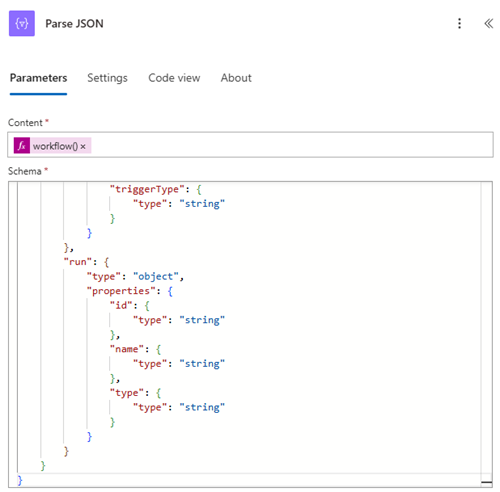
- Paste it into the Schema box of the Parse JSON action.
Nothing you type here is sent anywhere. The tool runs entirely in your browser.
More free tools
Power Automate expression builder
Pick a function, fill in the values, copy a working expression.
Trigger condition and filter builder
Conditions in, a trigger condition or Power Fx Filter formula out.
formatDateTime generator
Pick a date source and a format, get the formatDateTime expression.
SharePoint column formatting generator
Conditional background colour for a list column, as ready-to-paste JSON.
SVG to Power Apps image converter
Paste SVG markup, get a data URI for the Image property.
Parse JSON schema loosener
Fix Parse JSON failing on null values or missing fields.
Adaptive Card builder
Title, body and Approve / Reject buttons, as card JSON for Teams.
Flow error handler (Try / Catch)
Run-after settings, error expression and alert body for a Try / Catch scope.
HTML email table styler
Column headers and a colour, as an inline-styled email table.
OData filter query builder
Conditions plus $select, $orderby and $top, as an OData query.
FetchXML builder
Dataverse’s own query language, for List rows or Advanced Find.
Microsoft Forms pre-filled link builder
Let an AI fill in a whole form at once, then check it and submit it yourself.
Browse every tool
All the free tools on one page.